
Pou Customization Guide Reveals Lesser-Known Features
A Pou Customization Guide is essential because customizing your virtual pet in Pou goes far beyond picking a basic body color or choosing a simple pair of glasses.
Anúncios
While millions of players download the classic casual game on iOS and Android to feed, clean, and play minigames with their pet, many miss the deeper personalization options buried inside the game’s shop and room settings.
Understanding how to unlock hidden outfits, stack accessories, and manipulate color schemes allows you to create a completely unique character without wasting valuable coins.
Whether you are looking to optimize your coin spending or discover special thematic cosmetics, this complete customization guide breaks down the hidden mechanics behind Pou‘s personalization system.
Key Takeaways
- Level Unlocks vs. Potion Unlocks: You do not always need to reach high levels to equip advanced outfits; specific potions can bypass level requirements for immediate customization.
- Layering Mechanics: Certain clothing items, stickers, and headwear can be stacked to create unique outfit combinations not directly shown in the standard preview.
- Special Event & Holiday Gear: Exclusive wallpapers, outfits, and color palettes remain available year-round if you know where to find them in the shop sub-menus.
- Scene Customization Matters: Customizing room backgrounds, outdoor scenes, and minigame equipment provides a cohesive aesthetic that extends beyond Pou’s body.
Understanding Pou Customization Mechanics
The customization system in Pou is divided into direct pet modifications and environmental personalizations.
Anúncios
Every item you buy or equip is saved to your account, allowing you to swap styles instantly without paying twice.
Body Colors, Outfits, and Costumes
At its core, customization starts in the Bedroom or Hall, where you access the shop. The primary categories for character design include:
- Body Colors: Standard shades, pastel variations, neon tones, and special pattern overlays (such as tie-dye, animal prints, and stripes).
- Outfits: Full-body costumes ranging from formal wear (tuxedos, dresses) to thematic outfits (superheroes, animals, career uniforms).
- Headwear & Hair: Hats, caps, crowns, wigs, and headbands that sit directly on top of Pou.
- Eyewear & Accessories: Sunglasses, classic specs, bowties, ties, and mouth accessories like moustaches or beards.
To view official game updates and developer information on supported devices, visit the official Google Play Store Pou Page.
Unlocking Hidden Features and Bypass Tricks
Many of the most desirable customization options in Pou are locked behind high level thresholds. However, the game mechanics offer built-in options to access premium looks early.
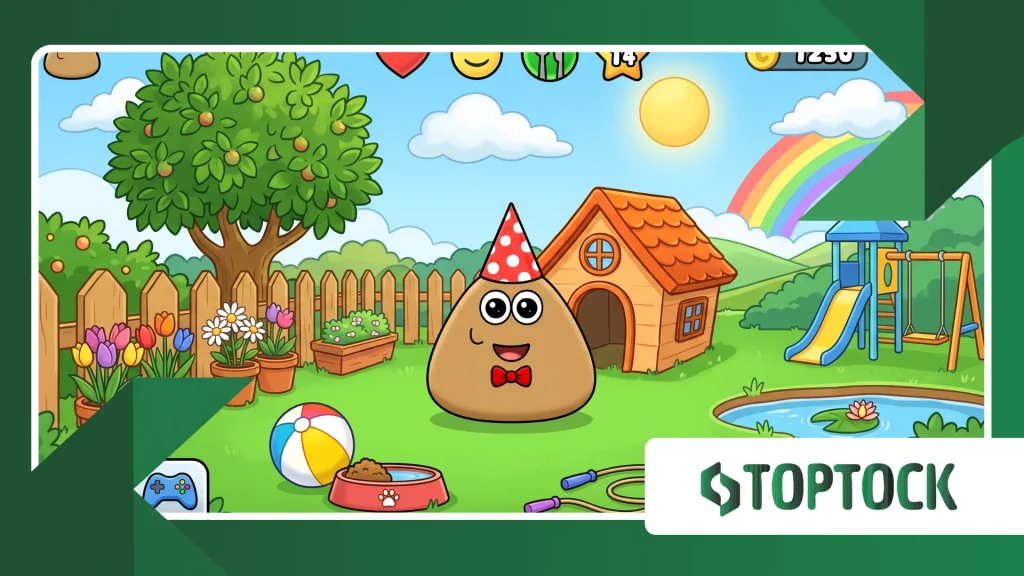
1. The Early Unlock Feature
If an outfit or color requires Level 50 and you are only at Level 15, you do not have to wait. Tapping on a locked item gives you the option to unlock it immediately using coins.
++ My Talking Angela Update Expands Daily Activity Features
While the coin cost is significantly higher than buying an unlocked item, playing minigames like Free Fall or Sky Hop makes earning these coins quick and accessible.
2. Size Manipulation via Potions
Certain outfits and glasses sit differently depending on whether Pou is in baby or adult form:
- Baby Potion: Shrinks Pou to a small size. Many hats and oversized glasses look dramatically different—and often hilarious—on a baby Pou.
- Adult Potion: Restores Pou to full size, filling out formal suits, dresses, and complex body patterns.
Read more: My Perfect Hotel: Grow a Small Business into a Luxury Hospitality Empire
Changing sizes allows you to double the visual utility of a single wardrobe item.
Comprehensive Pou Customization Comparison
Choosing where to spend your hard-earned coins depends on your styling goals. The table below breaks down the primary customization categories, unlock methods, and style impact.
| Customization Category | Primary Location | Typical Unlock Method | Style Impact | Best For |
| Body Colors & Patterns | Shop > Body | Level progression or direct coin purchase | High (changes core appearance) | Setting the base aesthetic |
| Wigs & Hairworks | Shop > Hats / Hair | Level-gated (can be bypassed) | High (adds personality) | Creating human-like characters |
| Outfits & Suits | Shop > Outfits | Level-gated / Special themes | Very High (covers full body) | Theme builds (police, chef, etc.) |
| Eyewear & Moustaches | Shop > Glasses / Beards | Low to Medium level requirements | Medium (facial features) | Subtle stylistic details |
| Room Wallpapers | Shop > Wallpapers | Unlocked per room type | High (environmental) | Matching outfit to background |
| Outdoor & Garden | Outside > House / Flowers | Unlocked by visiting Outside | High (external aesthetic) | Complete world-building |
Advanced Styling Tips: Creating Unique Looks
To make your pet stand out when visiting friends online, avoid relying on default complete outfits. Instead, combine items from different categories to build custom themes.
Layering Accessories Correctly
Choose a Base Pattern First: Apply a body color or pattern (e.g., Zebra or Leopard) before picking clothes. Certain low-cut outfits let the body pattern show through on the belly or head.
++ Earth Revival Open World Activities Beyond Main Missions
Pairing Glasses with Hats: Not all headwear works well with large eyewear. Narrow frames (like Smart Glasses) fit cleanly underneath broad hats like Top Hats or Fedoras without visual clipping.
Moustache and Tie Combinations: Combining a handlebar moustache with a formal suit creates a classic, vintage look that standard premade costumes cannot match.
Environmental Matching
Don’t neglect the rooms. To create a cohesive look:
- Match your Kitchen Wallpaper with food-themed hats (like the Chef Hat).
- Match the Game Room layout with sporty outfits and customized game balls (e.g., custom beach balls or soccer balls).
- Customize the Outside House colors and roof tiles to match your main outfit color scheme.
For more information on general mobile game design principles and casual gaming history, explore the International Game Developers Association.
Common Customization Mistakes to Avoid
Buying High-Level Items Too Early Without Checking Alternatives: Unlocking locked items with coins costs extra.
Check if a similar color or style is already unlocked at your current level before spending extra cash.
Forgetting Outdoor Customization: Many players spend all their coins inside the house. The garage, garden, and house exterior are fully customizable and visible to visitors.
Ignoring Minigame Rewards: Playing specific minigames unlocks achievements that reward substantial coin bonuses, accelerating your ability to buy top-tier wardrobe items.
Conclusion
Personalizing your character in Pou offers far more creative freedom than it initially seems.
By combining body patterns, utilizing potions for size changes, bypassing level requirements with saved coins, and matching room environments to your outfits, you can create a truly distinct virtual pet.
Start by experimenting with base pattern overlays and building a custom outfit stack today!
Frequently Asked Questions
How do I unlock locked outfits in Pou without leveling up?
You can unlock locked outfits and colors immediately by paying a higher coin price directly in the shop menu. Tap the locked item and confirm the early unlock option.
Can I change Pou’s appearance back to default at any time?
Yes. All purchased items, colors, and wallpapers are permanently saved in your inventory. You can switch back to default colors or remove accessories whenever you want in the shop menu without paying again.
Do customization items affect minigame performance or stats?
No. All clothing, wallpapers, body colors, and accessories in Pou are purely cosmetic. They do not alter game physics, minigame difficulty, or health stats.
Where can I customize Pou’s house exterior and garden?
Exit the house by tapping the Outside arrow in the top corner. From there, tap on the house, garage, or garden flowers to open the exterior customization shop.
++ Pou: the Ultimate Guide to Features, Gameplay, and Tips for Raising Your Virtual Pet
Popular Now










