
Warframe Mobile Launch News Generates Strong Community Buzz
The latest Warframe Mobile Launch News has set the gaming community ablaze as Digital Extremes brings its acclaimed sci-fi action title to iOS and Android.
Anúncios
Players across the globe are celebrating full gameplay parity, allowing them to experience the complete Origin System without compromise.
With cross-save functionality fully active, veterans can seamlessly transfer their progress, inventory, and favorite frames between PC, consoles, and mobile devices.
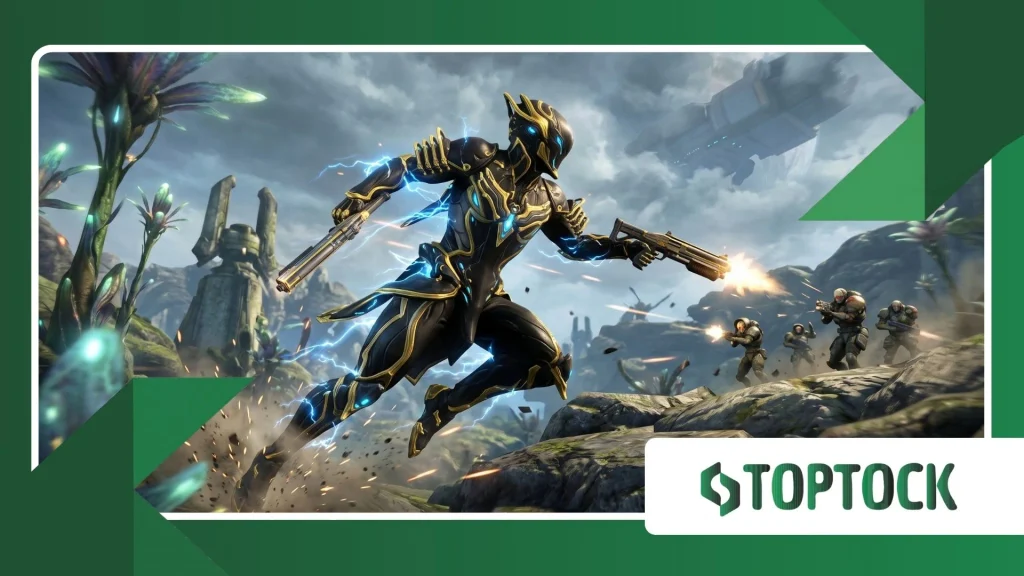
Early feedback highlights impressive technical performance, flexible control options, and unprecedented portability, proving that Digital Extremes has successfully delivered a true AAA space ninja experience right to the palm of your hand.
This guide analyzes the major reaction trends, core technical achievements, and player consensus surrounding the mobile arrival of Warframe.
Anúncios
Key Takeaways
- Full Parity: The mobile release offers complete access to the core game’s storyline, frames, and updates without content cuts.
- Cross-Save Support: Existing players can seamlessly carry over their accounts, gear, inventory, and progression across PC, consoles, and mobile.
- Touch vs. Gamepad: While touch controls are heavily customizable, physical controller pairing remains the preferred choice for high-level content.
- Hardware Requirements: Modern Apple and Android devices handle smooth frame rates, though thermal throttling and battery consumption require setting adjustments.
What Is the Warframe Mobile Launch News Creating Such Buzz About?
Recent announcements surrounding the mobile launch have captured widespread attention because Digital Extremes delivered the complete experience rather than a stripped-down spin-off.
Mobile gamers are accessing the exact same missions, cinematic quests, and open-world hubs found on main platforms.
Cross-progression integration sits at the center of the community conversation.
Longtime veterans can complete daily sorties or manage their inventory on an iPhone or Android device during commutes, then jump back onto PC or console when home.
According to official player tracking data available on the Digital Extremes Newsroom, seamless cross-save rollout significantly boosted active player engagement across all supported hardware ecosystems.
Community discussions highlight several standout features driving positive feedback:
- Direct access to major questlines like The Second Dream and The New War.
- Shared trade markets and clan Dojo activities across platforms.
- Simultaneous content updates alongside mainline console and PC patches.
How Well Does Warframe Mobile Perform on Current Hardware?
Performance testing across various mobile devices reveals impressive optimization, though hardware generation heavily dictates stability.
Apple devices equipped with A14 Bionic chips or newer, along with Android devices running Snapdragon 8 Gen 2 processors or better, achieve target frame rates reliably during standard mission types.
The open-world environments—such as the Plains of Eidolon, Orb Vallis, and Cambion Drift—present the highest performance demands.
In dense combat scenarios featuring heavy particle effects and multiple squad members, mobile hardware generates noticeable heat.
++ Pokémon Unite Balance Update Changes Competitive Matches
Players frequently recommend adjusting graphics presets to balance battery life and device temperature.
| Device Tier | Target Resolution | Frame Rate Target | Recommended Graphics Settings |
| High-End (M1/M2 iPad, Snapdragon 8 Gen 3) | 1080p – Native | 60 FPS | High Preset, Particle Effects Medium |
| Mid-Range (iPhone 13/14, Snapdragon 8 Gen 1) | Dynamic 720p – 900p | 30 – 60 FPS | Medium Preset, Motion Blur Off |
| Entry Level (iPhone 11, Snapdragon 778G) | Dynamic 720p | 30 FPS | Low Preset, Shadows/Reflections Off |
Why Are Control Options a Key Topic Among the Community?
Touchscreen controls present a inherent challenge for high-mobility action titles. Warframe relies heavily on complex movement mechanics like bullet jumping, aim gliding, and wall running.
Digital Extremes implemented contextual auto-firing and customizable virtual button layouts to help touch players adapt.
Despite helpful touch features, community consensus strongly leans toward using external hardware for end-game activities:
Bluetooth Controllers: Pairing an Xbox Wireless Controller, PlayStation DualSense, or mobile-first controllers like the Backbone One provides near-parity with console gameplay.
Custom Touch HUDs: Players relying strictly on touch screens benefit from moving the bullet jump and slide buttons to comfortable thumb locations.
Read more: Free Fire Anniversary Event Delivers New Rewards and Modes
Automated Shooting Toggles: Enabling auto-shoot helps casual players manage movement and aiming simultaneously without overcrowding screen real estate.
Which Features Are Driving the Most Positive Player Feedback?
The community response emphasizes accessibility and account flexibility above all else.
Veteran Tenno appreciate the convenience of checking Baro Ki’Teer’s bi-weekly inventory, running short relic cracks, or managing Foundry builds without booting a primary gaming rig.
New players entering the Origin System via mobile report smooth onboarding, though the game’s inherent complexity still requires research.
Comprehensive guides curated on trusted gaming news outlets like Polygon’s Warframe Coverage continue serving as vital resources for newcomers learning modding systems and warframe crafting routines.
What Are the Main Challenges Mobile Players Currently Face?
While reception remains largely favorable, players frequently discuss specific pain points across community platforms:
Storage Footprint: The game requires a substantial storage footprint (over 10GB-15GB depending on asset packs), which poses challenges for base-model mobile devices.
Thermal Throttling: Extended play sessions cause thermal buildup, leading to frame drops unless screen brightness and graphic settings are lowered.
++ Doomsday Last Survivors Battle Tactics for Resource Protection
Screen Clutter: Complex user interface elements, health bars, and mini-maps can feel cramped on smaller smartphone displays compared to tablets or monitors.
What Practical Steps Should You Take When Starting Warframe Mobile?
Optimizing your mobile setup ensures a smoother gameplay experience from day one.
Implementing a few recommended adjustments minimizes performance hiccups and improves control responsiveness.
First, navigate directly to the display settings menu upon initial boot.
Capping your frame rate at 30 FPS or 60 FPS based on your device tier prevents sudden frame drops and reduces battery drain during intense firefights.
Turning off bloom, motion blur, and screen shake significantly cleans up visual clarity on smaller screens.
Second, connect a physical controller whenever attempting high-level content like Archon Hunts or Netracells.
Precise movement execution becomes vital during late-game encounters where positioning dictates survival.
Finally, ensure your account linking process is completed correctly on the official website before starting.
Link your primary platform account first to prevent overwriting existing inventory or progress with a fresh mobile profile.
Frequently Asked Questions
Is Warframe Mobile completely free to play?
Yes. Warframe Mobile utilizes the exact same fair free-to-play monetization model as the PC and console versions.
All Warframes, weapons, and quests can be unlocked through gameplay without spending real money.
Does Warframe Mobile support cross-play and cross-save?
Yes. Full cross-play allows you to team up with players across PC, PlayStation, Xbox, and Nintendo Switch. Cross-save enables account progression sync across all connected platforms.
Can I use a controller with Warframe Mobile?
Yes. The game fully supports Bluetooth controllers including Xbox, PlayStation, and dedicated mobile gamepads like the Backbone One and Razer Kishi.
How much storage space is required for Warframe Mobile?
Expect to set aside approximately 10GB to 15GB of free storage space to accommodate initial installation files, audio packs, and content updates.
++ Digital Extremes has officially launched Warframe on Android for global players
++ Warframe on Android Impressions: Are Your Thumbs Ready, Tenno?
Popular Now










